Security and privacy
Your video and your data stay on your site
How the platform keeps video from your cameras, the evidence behind every alert, and personal data on your site, across all its checks: PPE, safety, people, vehicles, visitors and sound. Who can see what, and what you can switch off.
In short
- Everything stays on siteVideo, evidence, people data and models live on one server you control. No cloud service is needed to run.
- Access by roleRoles decide who sees which pages. Every change is written to an audit log with who and when.
- Encrypted where it mattersHTTPS for every browser session. Camera passwords are encrypted at rest with AES-256-GCM.
- Faces only for named peopleFace matching only ever proposes people your team has named. It can be switched off. Under the strictest rules the face data of unnamed people is not kept; a profile can allow longer, up to its limit.
- Privacy rules for your countryAn administrator picks the site's country, and its privacy profile caps how long each kind of data is kept. Until then the strictest rules apply. Camera sound is off until an administrator switches it on for one camera, and some profiles keep it locked off.
- People review, the system never decidesAn event is evidence for a person to review. A new detection model never goes live without a person activating it.
- Fails safeProduction refuses to start with default or weak secrets, and a go-live check reports them before you switch on.
- Signed software, licences and exportsRelease packages and licence files are signed and checked before use, and every export is signed with the site's own key. Release packages ship no source code.
Where your data lives
The platform runs as four services on one server: the web app, the API, the vision worker that reads the cameras, and the trainer. They store everything in a database and on the server's data disk.
| Data | What it is | Default keep | Limits and notes |
|---|---|---|---|
| Video and pictures | |||
| Recordings | Continuous video per camera, in 60-second files. Pictures only, except from a camera an administrator switched Record sound on for: that camera's sound is kept in its recordings. | The number of days set per camera, up to the privacy profile's limit: at most 30 days under the strictest rules. | The oldest files are also removed to keep a minimum of free disk space. Recordings made before sound was dropped keep their sound until they age out, at most 30 days later. |
| Exports | A clip or snapshot cut from recordings, as a zip with a manifest that lists every file and its SHA-256 hash. Verify hashes the files again. Each export is also signed with the site's own key unless signing is off. An evidence pack of a path also holds the trail's picture and timeline, names any clip no recording covered, and is recorded with its case reference and reason. Pictures only, except from a camera that records sound. | 14 days after it is ready (a failed or cancelled export, 14 days after it ends), then the files are deleted. | Download the zip before then. Only the person who exported, or an administrator, can see an export. |
| Detections files | The boxes Playback draws over a recording, in a small file beside each 60-second file (about 2 MB an hour per camera at 5 checks a second). No pictures. | With the recording file: removed by retention and by the Storage clean-up. | A camera that is not analysed has none. |
| Camera references | The reference picture a person saved for each camera, which picture health compares the live picture with. | The current reference is kept until a person replaces it. A replaced reference is kept 90 days so it can be restored, then its picture is removed. | Only a person with camera rights can save or restore one. A reference never refreshes itself. |
| Event evidence | A raw and an annotated snapshot of each violation, and a short video clip, with sound only from a camera that records it. The clip's marks (the boxes drawn over it, with no person id or plate) are kept beside the clip and go with it. | Each kind has its own longest keep in Settings → Storage. By default, clips and snapshots of events that were not confirmed stay 90 days, and so do event records with the evidence of confirmed violations. | Under the strictest rules, at most 90 days for clips and snapshots and 3 years for evidence and event records. No event goes before the minimum event retention (90 days by default). An event on legal hold or in an open incident survives every delete path until the hold is released. Delete event and Clear events are admin only and audited; a bulk clear keeps held events, confirmed violations, open incidents, events used by a training sample and anything still running, and never reaches past the list's own filter. |
| Counting history | Counts only, in 5-minute steps per camera: how much camera time was observed, and how many person-seconds were compliant, violating or not judged. No pictures and no person ids. | Compacted to 15-minute steps after 30 days, and removed after 2 years. | – |
| Vehicle counts | Counts only, in 5-minute steps for each vehicle line and vehicle type, with the wrong-way crossings. No number plate is read, and no pictures or person ids are stored with the counts. A wrong-way crossing is also an event, kept like any other event. | Until the events are cleared. | – |
| Belt counts | Counts only, for each belt line: every counted crossing (a time and a plus or minus one), and one row for each batch with its number, start and end, running count, start total and an optional hand count. No pictures, no plate and no person ids are stored with them. | Crossings for 7 days, then removed. Batches are kept: nothing removes them automatically. | – |
| People | |||
| People sightings | A pseudonymous id such as P-1A2B3C4D, the cameras and zones a person was seen in, when, and any missing PPE. | 90 days by default (Settings → Storage, at least 7 days). | At most 90 days under the strictest rules. |
| Floor map trails | A person's position on the floor map at a time, with the camera that saw it, for the path replay. Never sent off the site by the platform; an evidence pack leaves only when a person downloads it. | 30 days by default (Settings → Storage, 7 to 30 days). | At most 30 days under every privacy profile. Delete person removes them. |
| Visit logs | Each visit: the person id, the zone, when it started and ended, and any missing PPE. | 90 days by default (Settings → Storage, at least 7 days). | At most 90 days under the strictest rules. |
| Names and notes | Entered by a reviewer for a person id. Without a name, an id is not linked to an identity. | Until changed or merged. | Delete person removes the name, group and watchlist entry; the sightings and events stay under the bare id. |
| Face data | Face pictures and face templates used to recognise named people on any camera and on later days. | Unnamed people: not kept under the strictest rules (0 days); a profile can allow longer, up to its limit. Named people: until no camera has seen them for a year (Settings → Privacy, Delete face data of people unseen for, 365 days by default and never more than the profile allows). The name stays. | Delete face data removes the templates, the face picture and the enrolment photos at once. Two weeks before a deletion the System page warns how many people it takes and on which day. A person on legal hold is skipped. |
| Training | |||
| Training samples | Frames saved for human review to improve detection on your site, and the reviewed labels. | Rejected samples are kept 7 days and unreviewed samples 60 days by default. | Approved samples stay until deleted, and the golden validation set is kept on purpose. |
| Accuracy check pictures | The moments reviewers answer in the weekly accuracy check, and each camera's check set. The answers never change an event. | Weekly check pictures are removed after 90 days. | Check-set pictures stay, and Storage never offers them for clean-up. |
| Accounts and system | |||
| Accounts and audit log | Users, roles, sessions, and a record of every change made through the app. | Accounts stay until deleted. The audit log is kept 365 days by default (at least 90). | The address and device of a sign-in are blanked 90 days after the session ends; last sign-in still shows. Failed sign-in counts are kept 30 days. Refused requests for access are deleted after 30 days. Changes to the site time zone and renames of a person are written to the audit log (Settings > Site). |
Note. Short-lived data such as live frames and heartbeats sits in memory (Redis) and can be cleared at any time without losing anything.
Settings → Storage sets how long each kind of data is kept, and a save above the privacy profile's limit is refused with the limit shown. Exports are measured as their own category on the Storage page and delete themselves after 14 days. Uploads (photos, videos, samples, models and logos) are refused with HTTP 507 when free disk space falls below a hard floor, and an upload with no declared size stops at its size limit; a failed write leaves no partial file. Service and container logs rotate and are capped in size.
Network
The platform needs no internet connection to run. Browsers reach it over HTTPS; the server reaches the cameras on your network. Online updates are off until an administrator turns them on. When they are on, the server contacts drive.google.com and drive.usercontent.google.com over HTTPS to look for and download a newer version; nothing about the site is sent. Turning off Check automatically stops the automatic checks.
Required
| Connection | Port | Needed |
|---|---|---|
| Browsers to the web app and API (HTTPS, with redirect from HTTP) | 443, 80 | Yes |
| Server to cameras (RTSP) | 554 | Yes, on the camera network |
| Internal service endpoints | – | Blocked at the proxy; services use a shared token |
Optional
| Connection | Port | Needed |
|---|---|---|
| Browsers to raw live video (WebRTC) | 8555 | Only for the low-delay raw view |
| Outbound HTTPS to download ready-made detection models, and the face models the first time face matching runs | 443 | Optional; detection models can also be imported as files |
| Outbound HTTPS for Let's Encrypt certificates | 443 | Optional; offline sites use an internal certificate authority |
| Outbound HTTPS to the licence service, only if you activate with a product key (activation, then one renewal a day) | 443 | Optional; a licence file needs no connection |
| Helper servers to the main server (mutual TLS 1.3, both certificates pinned by fingerprint) | 7443 | Only if you add a helper server. The main server listens only while a helper exists or a join code is open, and accepts only your network or a VPN unless Accept helpers from the open internet is on (off by default) |
| Secure tunnel for remote access | – | Optional, off unless you set it up |
The live-video relay's own API, which can see camera addresses, listens only on the server itself, or behind a password in container installs.
Installer and firewall
When the installer generates the admin password, it shows it once.
- On Windows, the installer's firewall rule accepts connections from the local subnet only.
- On Ubuntu, it opens ports 3000 and 4000 when ufw is active.
- On macOS, the system asks whether to allow incoming connections.
What leaves the site
Nothing leaves the site by itself. Data leaves only when a person sends it or a channel you set up sends it:
- Support file. Only when an administrator downloads it and sends it to the support team. The platform never sends it.
- Metrics.
/api/health/metricsis off untilMETRICS_TOKENis set. Your own monitoring on the site's network reads it with that token, or an administrator's session does. The token does not open it through the remote tunnel. Its labels carry no names, addresses or people. - Notification channels. Email, webhook, SMS and the other channels in the next section, once an administrator sets them up.
- Remote access. Only if you set up the secure tunnel.
Data that leaves the site through channels you set up
Only an administrator can set up the channels that send anything off the site.
- Only an administrator can add a notification channel in Settings → Notifications: email, webhook, SMS, WhatsApp, an HTTP siren or beacon output or a fire-panel watchdog. Nothing leaves the site through a channel nobody configured.
- Camera-based fire and smoke detection is an early warning that supplements the certified fire alarm. It is not a life-safety function.
- Email goes through the one mail server set in Settings → Notifications, to a group of roles, people or addresses; each person gets their own email, retried for up to an hour. Other channels send to the address you gave them. A delivery log records what was sent, skipped or failed, and can retry a failed send. Choose recipients with care, because SMS, WhatsApp and email travel through the carrier or mail service you picked.
- Do not disturb. A person can silence their own pop-ups, tones and desktop notices for a while. The times it was started and ended are personal data: only that person, user managers and audit readers see them, and they are kept and erased under the site's privacy profile. The bell still counts, and Do not disturb never silences an alarm.
- The watchdog pings your fire panel or monitor while detection is healthy and stops when it is not, so that panel raises a fault. If the server stops responding, vision switches the HTTP outputs on by itself.
- A helper server is another computer you own, added in Settings → Helper servers. Adding one needs the site's country picked first; a helper somewhere else receives footage only with a transfer reason recorded for it. Faces, attendance and number plates stay on the main server, and removing a helper cuts it off at once and wipes what it keeps.
- Model feed and discovery of new model releases are off unless an operator turns them on. The feed is signed, and a newly discovered release shows as unverified until checked.
Who can see what
Each user has one role. The sidebar only shows the pages a role may use, and the API checks the same permissions on every request. The table shows the four built-in roles (admin, supervisor, reviewer, viewer); an administrator can also build up to 20 custom roles, and a custom role never gets more than the person who builds it holds.
| Permission | Admin | Supervisor | Reviewer | Viewer |
|---|---|---|---|---|
| See cameras | Yes | Yes | Yes | Yes |
| Change cameras | Yes | Yes | No | No |
| Change zones | Yes | Yes | No | No |
| Change rules | Yes | Yes | No | No |
| See events | Yes | Yes | Yes | Yes |
| Review events | Yes | Yes | Yes | No |
| Review samples | Yes | Yes | Yes | No |
| Change datasets | Yes | Yes | No | No |
| Manage models | Yes | No | No | No |
| Manage training | Yes | Yes | No | No |
| Manage users | Yes | No | No | No |
| Change settings | Yes | No | No | No |
| See system status | Yes | Yes | Yes | Yes |
| See the audit log | Yes | Yes | No | No |
| Change people, groups and the watchlist | Yes | Yes | No | No |
| Manage the licence | Yes | No | No | No |
| Manage storage | Yes | Yes | No | No |
| Install updates | Yes | No | No | No |
| See people | Yes | Yes | Yes | No |
| Export recordings | Yes | Yes | Yes | No |
| Move cameras | Yes | Yes | Yes | No |
| See all sites | Yes | Yes | No | No |
| See attendance | Yes | Yes | No | No |
| Change attendance | Yes | Yes | No | No |
| See number plates | Yes | Yes | Yes | No |
| Edit plate lists | Yes | Yes | No | No |
| Manage privacy | Yes | No | No | No |
Special permissions
- people:read
- Names, faces, groups and visits need the see-people permission (people:read), which admins, supervisors and reviewers hold. Enrolling people, managing groups and the watchlist need the change people permission (people:write), which admins and supervisors hold. A viewer has none, so the Visits page and visit log show numbers such as "Person 1" in place of names and ids, and assignee names read "Someone". Everyone with event access sees incident notes, status and assignee history.
- recordings:export
- Exports and PTZ moves have their own permissions: export recordings (recordings:export) and move cameras (cameras:control). A user who holds the see-people permission must give a reason for an export unless nobody is in the footage. The reason is kept in the manifest and the audit log, which also records each download and cancellation.
- cameras:control
- Move PTZ cameras and call saved views.
Sign-in
Passwords
- Passwords are stored as argon2id hashes, never in readable form.
- Repeated failed sign-ins are rate limited, and the answer is the same whether or not an email has an account. The record of sign-in attempts keeps only what the rate limit needs.
- Production refuses to create the first admin with a default or short password.
- Changing your own password signs out your other sessions. Open live video ends with a session that is signed out, revoked or expired, or whose account is disabled, deleted or made to change its password; removing a permission from a role does not cut an open connection.
Two-step sign-in
- Two-step sign-in asks for a 6-digit code from a phone app after the password. The code secret is stored encrypted, each code works once, ten recovery codes are kept only as hashes, and too many wrong codes lock the step for a while. An administrator can require it for administrators, and can turn it off for someone who lost their phone, which signs every device of theirs out.
Sessions and devices
- A session keeps the address and device it was opened from, so the signed-in devices list on My account can show where each one is. Both are blanked 90 days after the session ends.
- Session cookies are marked secure when the site runs on HTTPS.
- Other sessions slide forward while they are used, so an active user stays signed in until the session has been idle for its full lifetime.
- A sign-in link only ever leads back into this site, and the next person to sign in on the same browser tab sees nothing of the last person's data, requests or alerts.
Reset links and invitations
- A forgotten password is reset with a one-time link that an administrator hands over, so no email server is needed. The link expires, works once, is stored only as a hash, and signs the person out everywhere else. Changing the password cancels any link still open.
- A person who requested access sees nothing until an administrator approves them: the server refuses every request from that account, live video included, except checking its own status and signing out.
- An administrator approves each request and picks its role. Invitations are one-time links like resets, and a temporary password from an administrator must be replaced at the next sign-in. Requests for access can be switched off in Settings, under Sign-in & access.
Display accounts
- A display account is a viewer for a wall screen. Only a user with user-management rights can mark an account as a display account, and the flag can only be set on a viewer. Its sessions last 30 days and renew while the screen is in use. Changing the flag ends that account's sessions.
People and faces
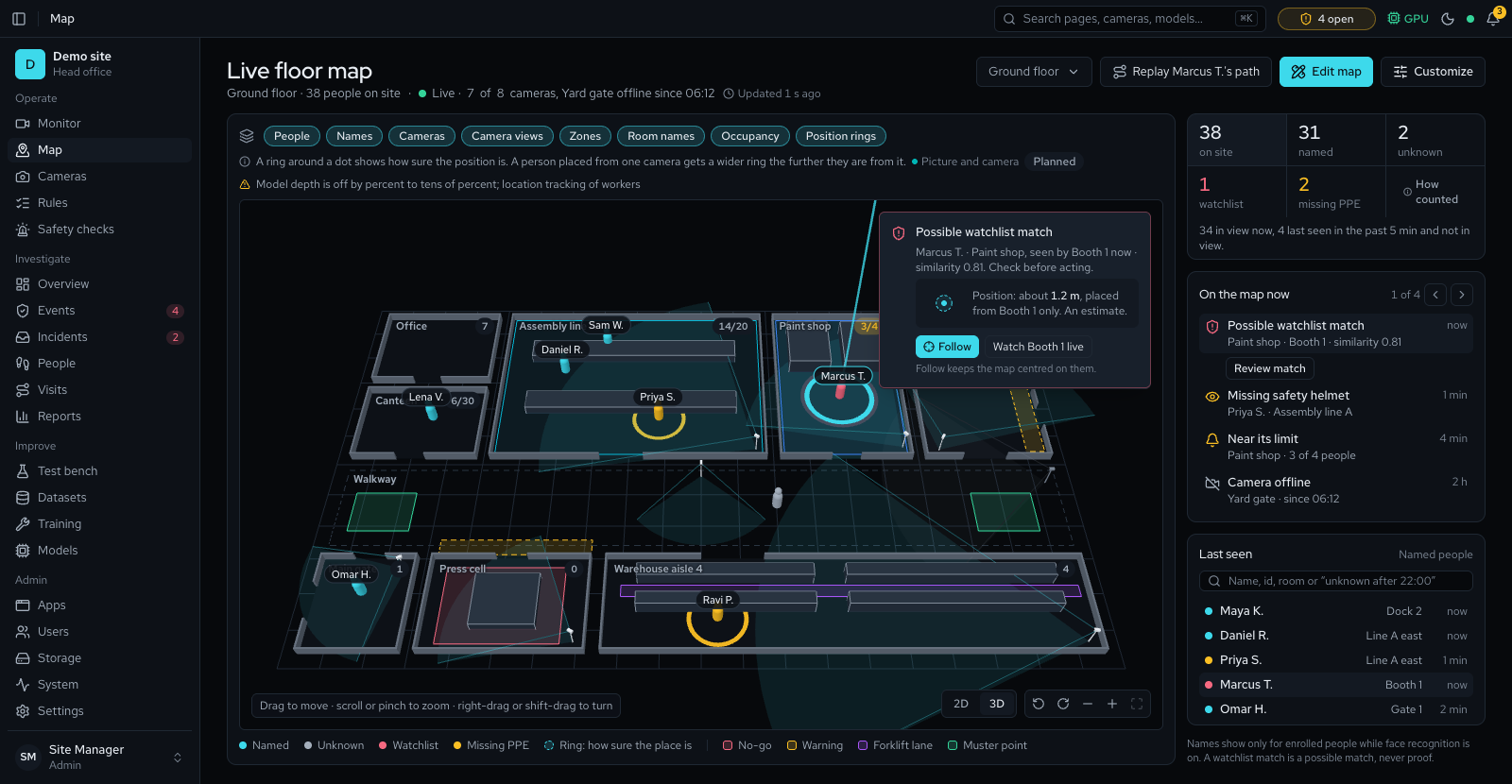
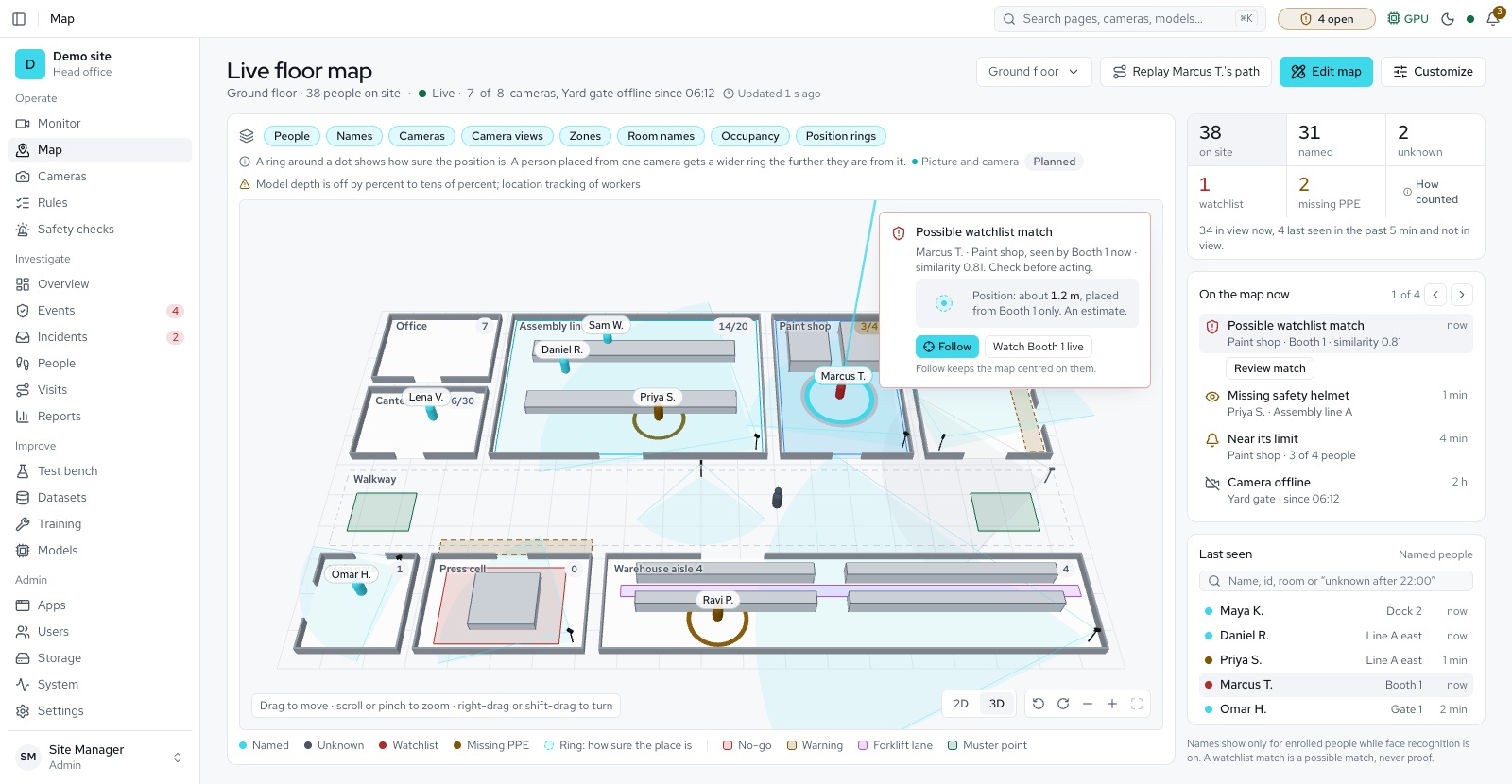
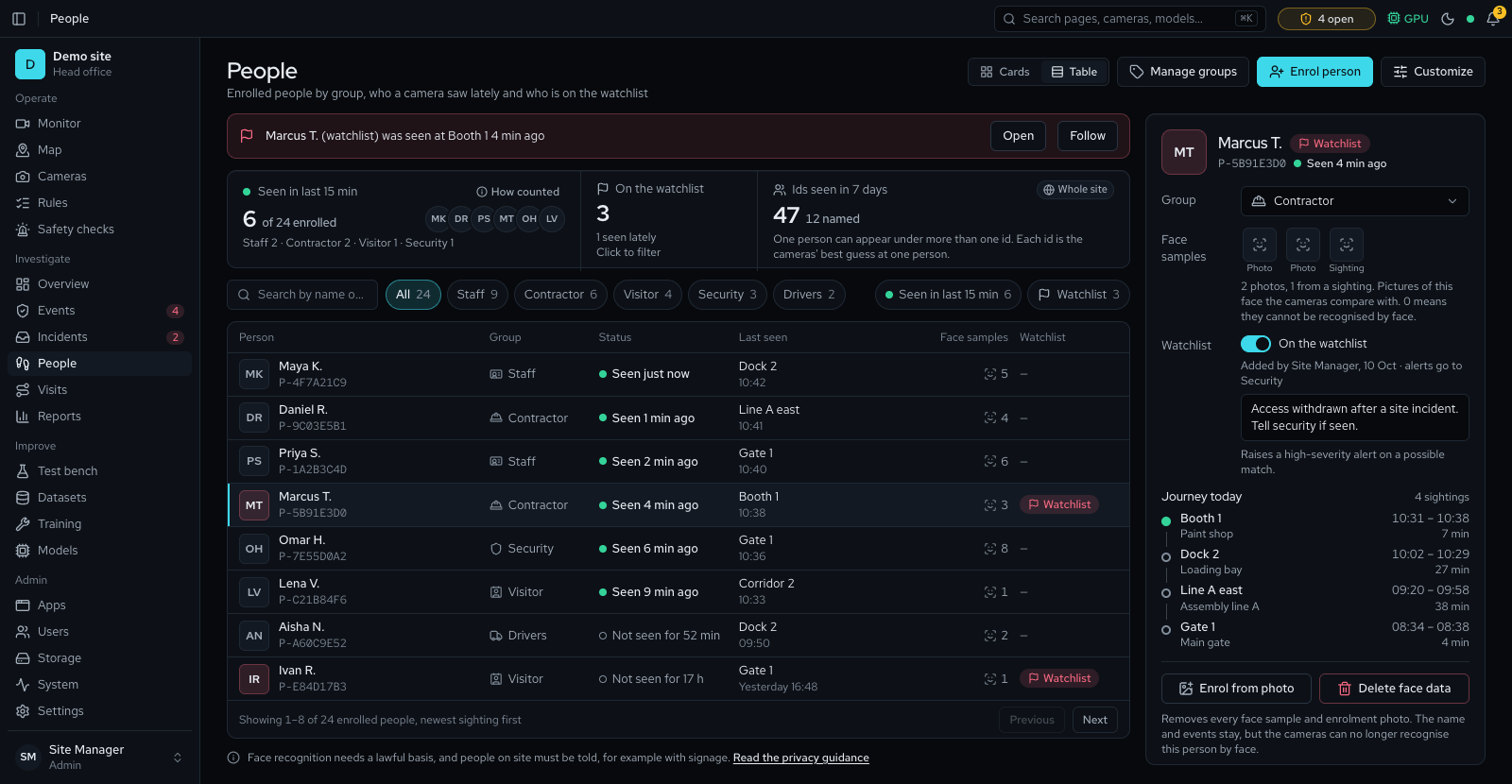
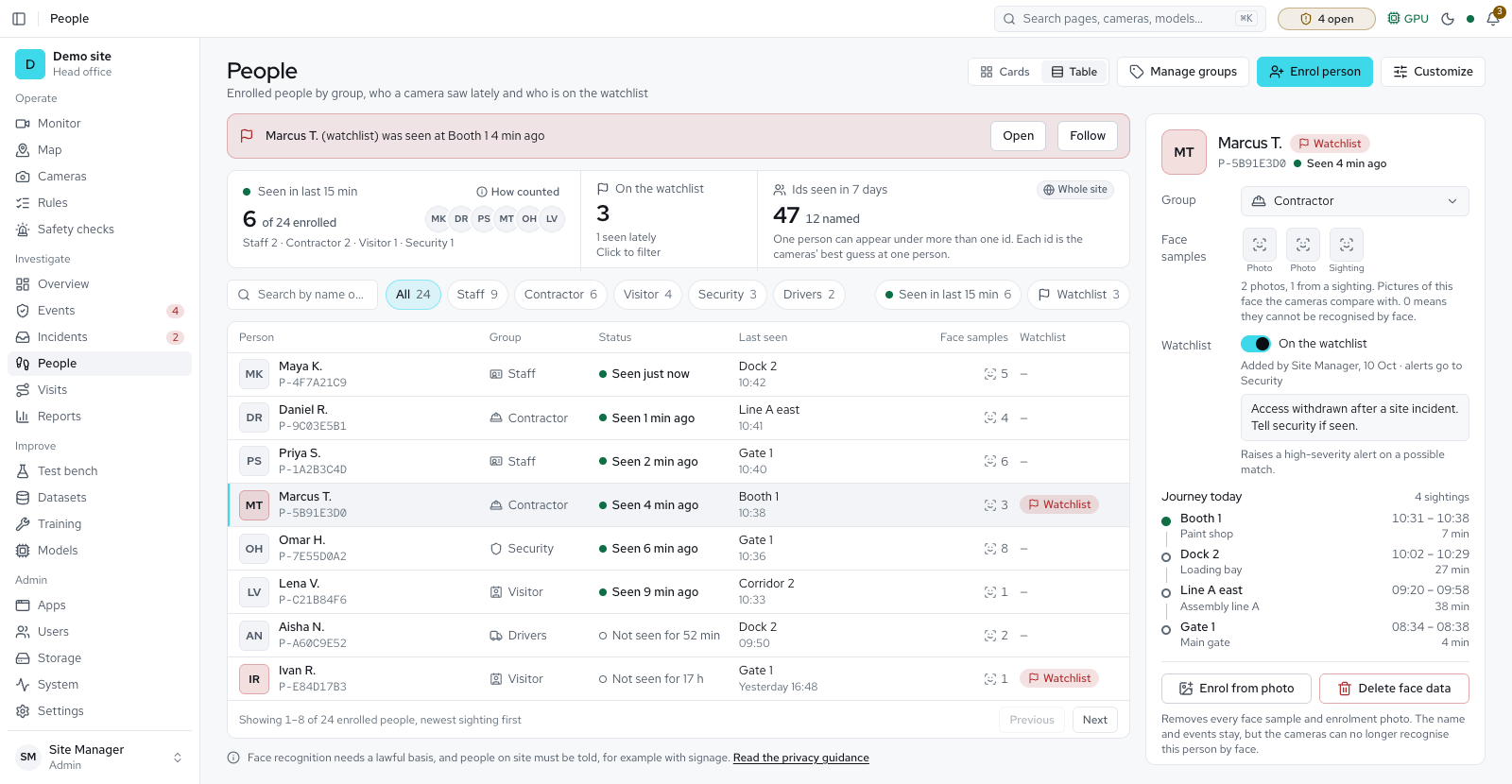
The platform follows people between cameras so that one person makes one event, not one per camera. By default a person is an id built from their appearance, such as their clothing. It becomes a name only when a reviewer gives it one.
Appearance id. Each tracked person gets an id like P-1A2B3C4D. It links sightings across cameras for a limited time and carries no name.
Named person. A reviewer can name an id. Naming and merging need the reviewer role and are written to the audit log.
Face matching. If it is on, the faces of named people are recognised again on any camera and on later days. Matching only ever proposes people who have been named. A person under 100 px tall in the picture is counted but never recognised. Where a profile allows a watchlist without consent, putting someone on it asks why, so the reason is on record.
Expiry. Under the strictest rules, which apply until the site picks its country, the face data of people who were never named is not kept. A profile can allow longer, up to its own limit, and you can switch face matching off in Settings, under Detection. The face data of a named person who has not been seen for a year is deleted as well; their name stays.
Important. Backups include face pictures and templates of the people the cameras saw. Store backups with the same care as the server.
Appearance matching has known limits: people in identical uniforms can be merged or split. Reviewers can merge two ids of one person, and the matching thresholds are site settings.
Visitors at the gate
The visitor kiosk keeps each expected visit: the visitor's name, company, the work, the host, the area and the times, with an optional email and phone number. Its pass code is kept only as a hash, and each check-in keeps how the visitor was found, the PPE check, any call to the gate desk and who let the visitor in, with the reason. A kiosk keeps only a hash of its pairing cookie and stores no camera picture. The public kiosk screen shows the first name only; the gate desk sees the full name. A visit and its check-ins are deleted after 90 days by default (Settings, Visitor kiosk, 7 to 730 days; no privacy profile allows more than 365). Set the kiosk camera's recording to Off as well, because the camera's own recording setting still applies. With Find visits by face on, a visitor who agreed can have one photo on their visit, kept on the main server and deleted when the visit is cancelled, the day after the visit ends, or on a data request; faces never leave the main server, and switching the setting off stops all matching.
Deleting data and security mode
Delete face data
Delete face data removes the face templates, the face picture and the enrolment photos of one person; their name, sightings and events stay.
Delete person
Delete person also removes the name, group and watchlist entry. Erasure never reports done while photos remain on disk. A forgotten person seen live is not learnt again.
Security mode
A camera can run in security mode, which tracks people without checking PPE.
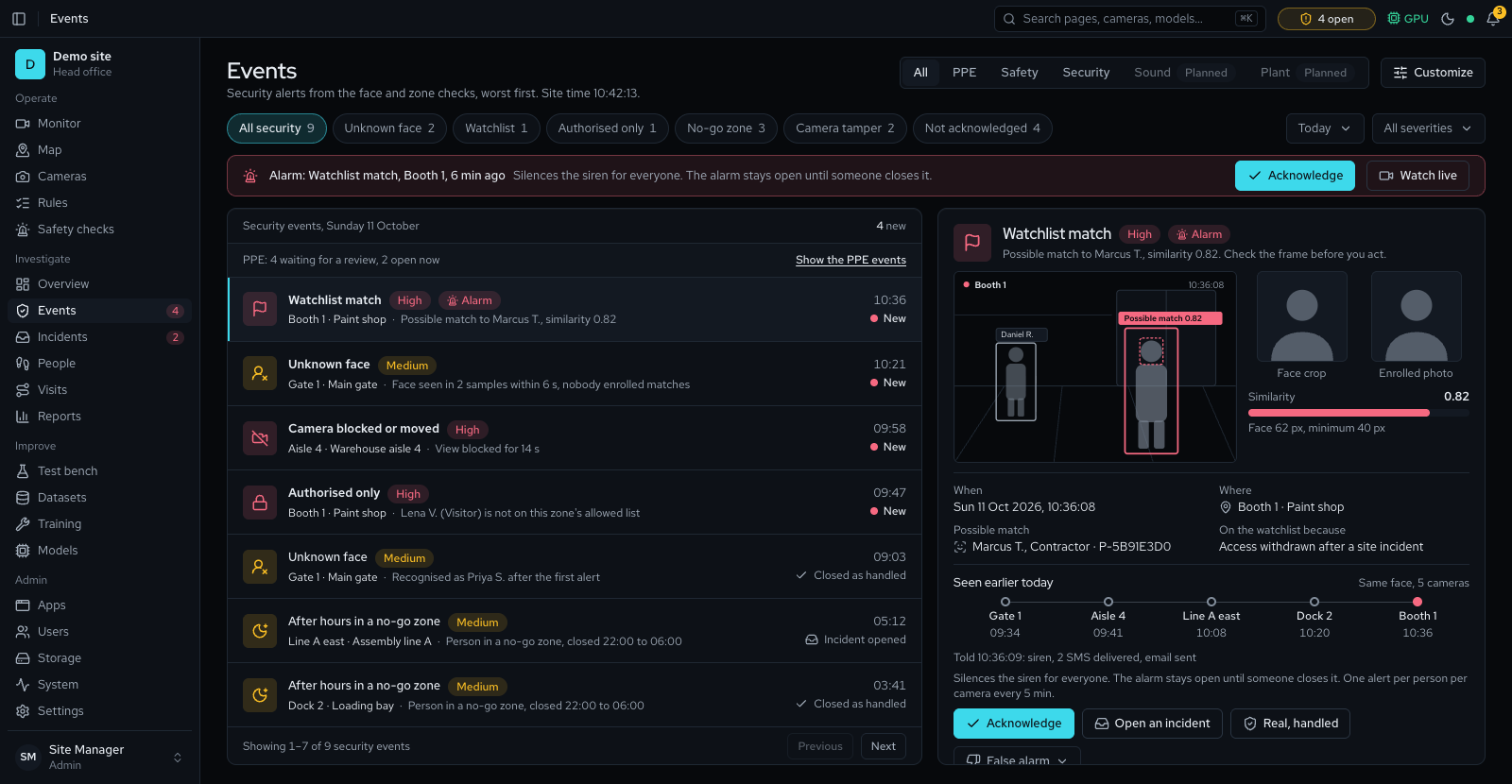
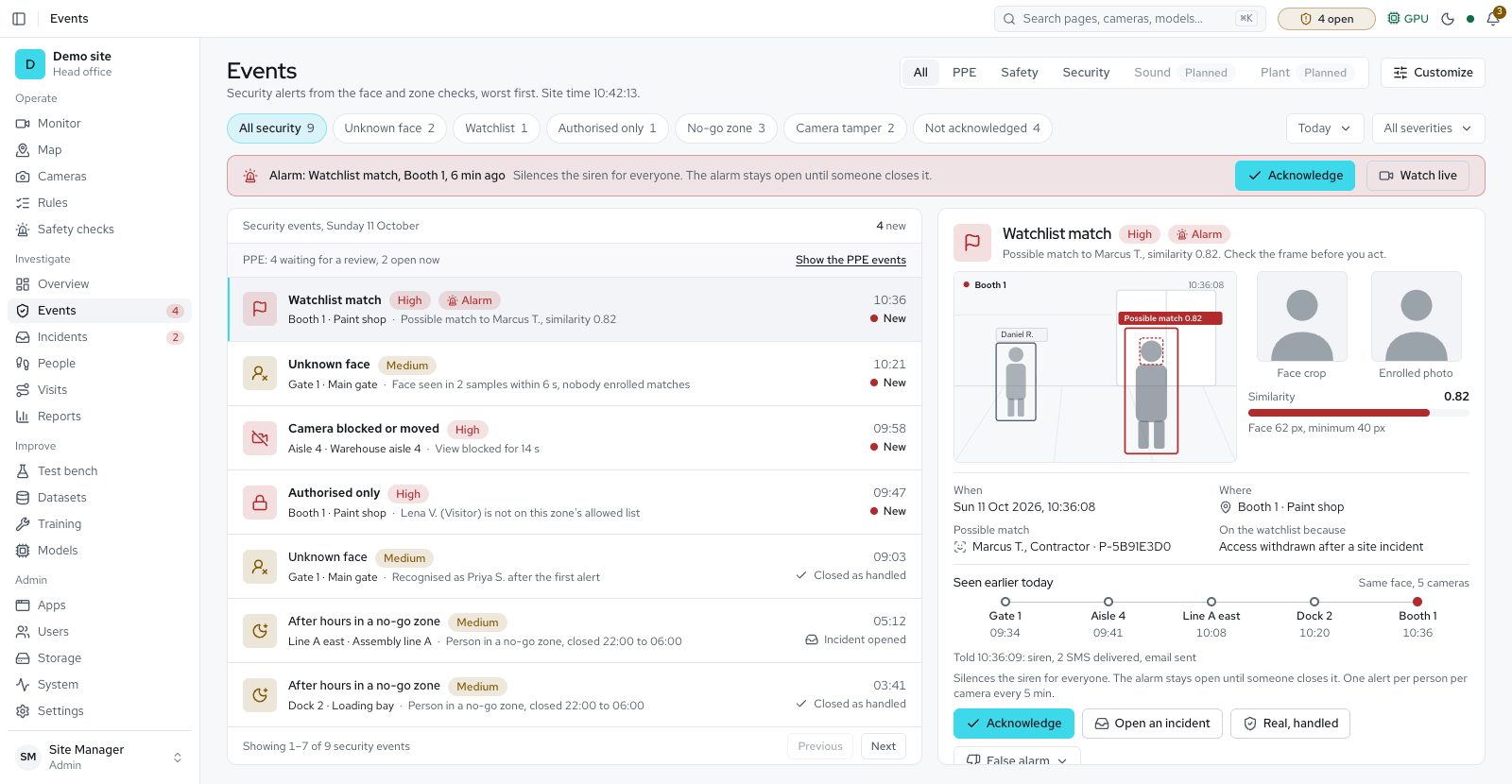
- On a security camera the Monitor labels each person with their name, Unknown when the face matches nobody enrolled, or a possible watchlist match.
- The Security checks tab on Rules raises alerts for unknown faces, watchlist matches, people not allowed in a zone, restricted areas, loitering, and cameras blocked or moved.
- PPE checking can also be switched off for the whole site; the PPE model is then unloaded.
Encryption and secrets
- In transitA built-in proxy terminates HTTPS with Let's Encrypt certificates, or with an internal certificate authority for offline sites.
- Camera passwordsEncrypted at rest with AES-256-GCM.
- The key is a site secret that you keep apart from the backups.
- Changing a camera's address, port or scheme needs its password typed again, so its login cannot be sent somewhere else.
- A password that can no longer be read (the site secret changed) is not used; the camera shows "Password needs re-entering".
- Secret checksThe API refuses to start in production without its secrets, or with placeholders or values under 32 characters.
- Go-live checkA script reads the settings file and flags weak or missing secrets without printing any of them.
- Software packagesEvery release package is signed with Ed25519, and each file in it is checked against its sha256 hash before install.
- Package names are checked for hostile paths, and the update state is kept owner-only and locked.
- The development signing key is not in packages.
- Export signing keyEvery export is signed with an Ed25519 key that the site makes on its first start.
- The private key is a file on the server, readable only by the platform, encrypted with the site secret (APP_SECRET) when one is set, and never in the database or a backup. After a restore onto a new server, Make a new site key in Settings → Sharing and give recipients the new fingerprint.
- Each export carries its own public key and the steps to check it with OpenSSL, so a recipient needs no account. Share safely checks a file against this site's exports; the file is never uploaded, only its check values reach the server.
- A signature shows the file is unchanged, not that the scene was real.
- Notification secretsThe SMTP password, SMS and WhatsApp tokens, webhook signing key and output authorization values are stored encrypted with AES-256-GCM and never shown again.
- An administrator can replace them but not read them.
- They need the site secret (32 characters or more); a new secret makes the stored ones unreadable, so they are entered again.
- Browser protectionsThe web app sends the same protections on its own port as behind the proxy: no framing by other sites, no content-type guessing, a strict referrer rule and a content security policy.
- Model downloadsEach download is pinned to a commit and checked against its sha256 hash.
- Every model card shows its licence; installing a model no longer asks for an acceptance.
- A release build installs only models with a published checksum and turns off Add from URL.
- Discovered releases without a checksum need explicit confirmation.
Licence
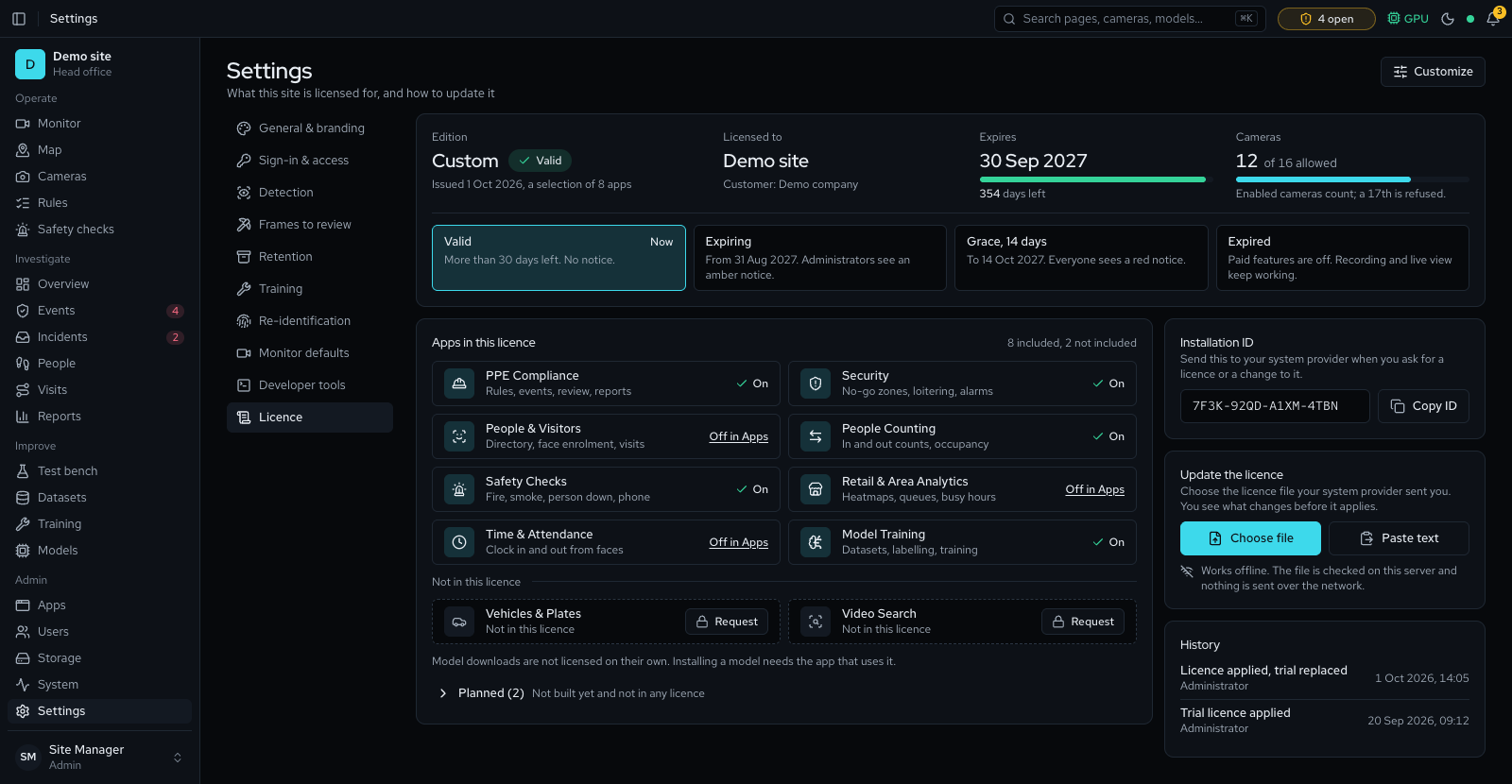
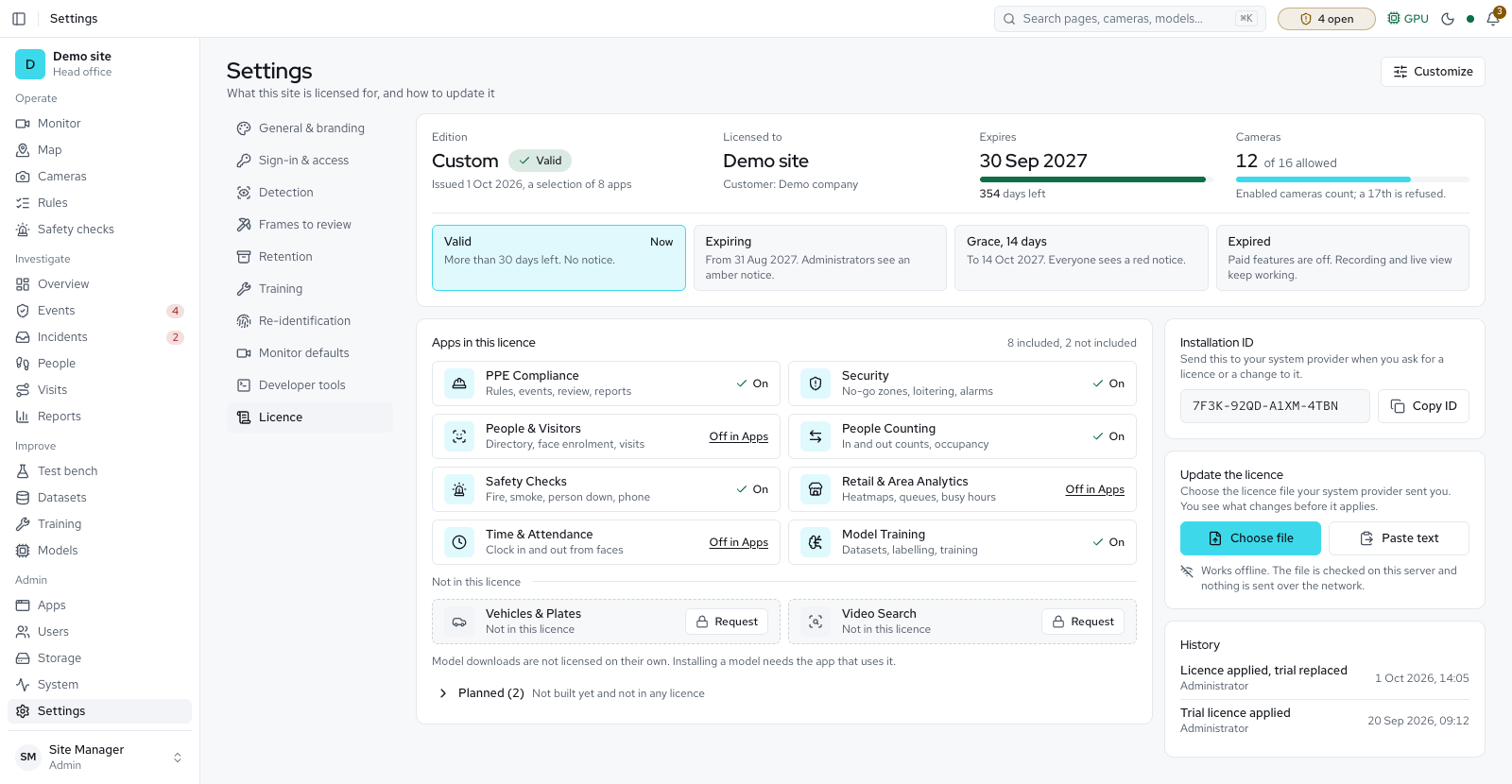
A signed file sets the modules and camera limit a site may use, and it works offline.
What a licence is
- A licence is a file signed with Ed25519. It is bound to the installation ID and sets the modules and the camera limit the site may use.
- The product name, logo and accent colour come from the licence and cannot be changed in Settings, unless the licence includes Own branding: then an administrator can. The site name stays editable.
Activating
- Applying a licence file works offline today: upload a .lic file on the Licence page. A server with internet can instead activate with a product key, and the licence then renews itself online.
- Online activation and renewal send four things and nothing else: the product key (activation and moving a server), the installation ID (a one-way hash of the machine ID), the software version and the licence ID (renewal). They never send the brand, the customer, the camera count, users, IP addresses or any event or video data.
- The licence service keeps a hash of each product key and its first five characters, the customer and site names your system provider gave it, each activation (installation ID, licence ID, dates, version) and the last 100 events per key. It stores no IP addresses. The traffic is carried by a third-party hosting provider, which sees IP addresses as a processor. Your system provider names it on request.
Offline use and the clock
- If the service cannot be reached, the licence keeps working for at least 60 days after the last renewal, and recording and live view never stop. Renewal is retried every day, and the Licence page shows when the last renewal failed and why.
- Winding the server clock back does not extend a licence or pause its expiry. The server keeps the latest time it has seen. Only a licence from your system provider that resets the clock can correct a clock that ran ahead.
- A restored database cannot bring back an older licence. The server remembers the newest licence it has accepted, and an older one is refused.
Limits
- A module that the licence does not include answers with HTTP 402. Its pages stay in the menu, locked, with a plain sentence saying who to ask. Without the PPE module, cameras still show live video and keep recording, but no checks run. Banners warn of a trial, expiry, a server clock set back and a failed online renewal.
- A trial key ends at once when it expires. A paid licence keeps working for a 14-day grace period.
- Cameras beyond the licence's camera limit are paused, not deleted. The oldest cameras keep running, unless an administrator chose a camera to Keep active.
Backups and recovery
A nightly backup, a tested restore and a signed update path with a rollback.
- A nightly backup saves the database and the files that cannot be recreated: models, branding, the golden set, dataset manifests and people data. Recordings and evidence are optional.
- The System page shows the last good backup and the newest runs, and warns when backups stop or fail. Settings → General & branding has Warn when backups stop and Warn after (hours).
- A setup backup (Settings → Setup backup) is one file that holds the accounts with their password hashes, camera and mail passwords, two-step secrets and the enrolment photos of named people. It is encrypted with AES-256-GCM under a key derived from the file password the administrator chooses. Only administrators can download or restore it, and each download and restore is recorded in the audit log.
- A restore script rebuilds a server from a backup, and the procedure includes a test restore on scratch resources. Restore refuses a backup archive whose storage files contain a symbolic link, before anything changes.
- Rolling back an update that restores the database first saves a copy of the database as it was, and keeps it 7 days. A rollback does not delete evidence, model or training folders recorded since the backup.
- Upgrades are documented with a rollback path. Re-running a newer installer upgrades in place and keeps data and settings. A health check reports the database, the disk, the camera worker and the trainer to your monitoring tools.
- Updates are signed by the vendor and checked on the server before anything is installed; the platform does not contact the vendor to update; with online updates on, it reads the update folder on Google Drive (see Network). An administrator installs an update from Settings and confirms with a password, and rollback is one click for 7 days. A failed update goes back by itself unless the release is marked not to; then it stays installed and an administrator rolls back.
Support file
One file, downloaded by an administrator and never sent by the platform.
- An administrator can download one support file from the System page. It holds versions, health, settings, recent warnings and counts, with passwords, keys, email addresses, faces, pictures and people's names taken out. It does hold IP addresses and site and camera names, because faults cannot be found without them.
- Nothing leaves by itself: the platform never sends the file, and each download is recorded in the audit log.
How security is checked
- The threats to the system are written down, and each one names the check that proves its control works.
- Before each release, the parts the platform is built from are checked against public lists of known weaknesses.
- The code is checked for keys or passwords committed by mistake before they reach a release.
- Every address the server answers, tested for every role: a test signs in as each kind of account and checks each address the server answers.
- A security check of the go-live settings on the System page: it shows the secrets and switches that matter before go-live, without showing any value.
- To report a problem, contact the provider who installed the system. A direct security address is coming.
Questions reviewers ask
- Is any video sent to the cloud?
- No. Video is read, analysed and stored on the on-site server. Remote access is optional and goes through a secure tunnel to that server.
- Does the system decide who broke a rule?
- No. It raises an event with evidence. A person reviews it and marks it a real violation or not a violation.
- Can we use PPE checking without face recognition?
- Yes. Switch face matching off in Settings, under Detection. People are still tracked by appearance, so one person makes one event.
- Who can watch live video?
- Every signed-in role can watch cameras. Only admins create accounts and choose roles. An administrator can switch an app off; every route of that app then answers 403 and its records are kept.
- How long is data kept?
- Each site picks a privacy profile for its country in Settings, Privacy; until it does, the strictest rules apply. Each kind of data has its own longest keep, capped by that profile, and a save above the cap is refused. Under the strictest rules: recordings at most 30 days, event clips and snapshots 90 days, evidence and event records 3 years, sightings and visits 90 days, and no faces of people with no name. Recordings follow each camera's retention days within that limit. Detections files go with their recording, and exports expire after 14 days. The face data of a named person is deleted after a year unseen. An event on legal hold is kept until the hold is released.
- What does the set-up list keep?
- The set-up list keeps who skipped a step, when and why, and which administrators have seen the welcome.
- Is sound recorded?
- Not unless an administrator switches it on. Cameras record pictures only. An administrator can switch on Record sound for one camera: they confirm that everyone in view is told, and give a reason that is written to the audit log. Some privacy profiles keep the switch locked off. That camera's sound is then kept in its recordings, evidence clips and exports, and live view and Playback play it muted until someone unmutes it. Recordings made before sound was dropped keep their sound until they age out, at most 30 days later. A camera's own microphone can also feed Sound alarms once audio is cleared for the zone; it is read in memory only, never recorded or played.
- Can a recipient check that an export was not changed?
- Yes. Each export is signed with the site's own key and lists the check values of its files. The recipient follows the steps in the file with OpenSSL, or drops the file on the Share safely page, which sends only check values and never the file. A match shows the file is unchanged, not that the scene was real.
- Is personal text in an export hidden?
- Yes, by default. Names the site already knows, emails, international phone numbers and the local ID and phone formats of the site's country are replaced by a mark in the reason, notes and comments that leave with an export, and in the free text of report downloads. Share safely lists each find so it can be kept as written; a role that cannot see people cannot keep any. The rules are plain patterns and known names, not a model, so an unusual spelling can be missed. The audit log keeps what was written, because it stays on site. Hide personal details in text in Settings → Sharing turns it off for the site.
- Can footage be covered before it leaves the site?
- Yes. Share safely covers every face, screen and bystander in a clip with a solid fill, so the cover cannot be undone. No face recognition runs while a clip is covered: the finder only says where a face is. The export holds only the covered copy, which is silent, and the original recording stays on site. The positions a prepare finds are kept for 24 hours only, and the export expires after 14 days like any other.
- Do we need to tell workers?
- Follow the rules that apply to your site; the privacy profile states them, and the sign-in page names the site's privacy contact. Typical steps are signs at camera areas, informing worker representatives, and a data protection impact assessment where the law asks for one.
- What if a service or the network fails?
- Events and samples are queued on disk and replayed when the service is back.
Coming next
- An independent test by an outside security firmA penetration test by a firm outside the project, when a client asks for one. Planned
Security checks for unknown faces, watchlist matches, authorised people only and cameras blocked or moved are available on Rules → Security checks. The floor map studio is available, with maps made from a photo of a sketch and a live map of people; vehicles on the live map are In progress.
Today's pages Available
M4: Security system Available